How to Make a Book Club Kit as a Self-Publishing Author

How would you like to sell 10-15 books at a time, rather than just one? You would?! Well, then keep reading, because Book Club Kits are one of the best-kept secrets of savvy book marketers.

book club

What is a book club kit, you ask?  We’re glad you asked! A book club kit is a bunch of your books and some other materials all packaged together in either a canvas bag or a storing box (or something even more fun and creative).  The most obvious customers for book club kits are book clubs, but the less obvious (and more fruitful) customers for your book club kit will be libraries.  Rarely do book clubs purchase books anymore, since that requires buying 10-15 copies of a single book.  Book clubs usually rely on libraries.  But even finding 10-15 copies of the same book across multiple libraries is challenging, which is why many libraries stock book club kits to loan out to local book clubs.  Rather than loaning out 10-15 copies of a book, they loan out one book club kit.  Who sells book club kits to libraries?  Authors!  

And that’s where you come in. So let’s get started.

  1. Decide how many copies of your book you are going to include

The best thing about making and then selling book club kits is you get to sell multiple copies of your book at once.  But don’t get overzealous.  If you cram too many copies of your book into your kit, the kit sales price may be too high for some libraries, and the kit itself may be too heavy.  Most book club kits range from 8-15 copies, and the number often depends upon the size of the community being served by the library.  So how do you decide how many copies to put into your kit? You ask!  Visit your local library and ask to browse their book club kits.  See how many books are in other kits. Ask the librarian which kits are the most popular.  Ask the librarian how many copies he/she would recommend, or what their budget is for purchasing kits.  All this information will help you decide how many copies to include in your kit.  Remember, your kit doesn’t have to be the same size for every library. You may have one kit comprised of five books for a smaller neighborhood library and another kit comprised of 15 books for a large metropolitan library.  

  1. Decide how you are going to package your book club kit

The number of copies you decide to include may determine how you are going to bundle your kit, since a canvas bag doesn’t carry as many copies of a 400-page hardback as a 28” x 18” plastic storing bin. On the other hand, a customized canvas bag (more on that in a second) makes a better first impression than a big bulky bin. Although if you opt for the bin (available in different quantities for different prices on Amazon), be sure to at least create custom stickers to put on the outside of the bin identifying yourself and your book.

  1. Customize your bag or bin

If you opt for a canvas bag, you can customize it by printing either your book cover or your author photo on the outside of the bag, along with its title. You may even want to add “Book Club Kit” onto the side of the bag, too.  How do you create custom canvas bags?  Through websites like Zazzle or CaféPress.  They’re a little more expensive if you do single-units, but they represent the most economic way to start until you grow confident enough to buy larger quantities, at which point you can go to a local printer for a better deal.

If you opt for a plastic storage bin, customize a sticker to put on the outside of the bin (using the same print-on-demand sites mentioned above).  The title of your bin is NOT the title of your book.  The title of the bin (or bag) is BOOK CLUB KIT.  The subtitle is your book title, and your author name.

  1. Create your “table of contents”

The similarities between a book and a book club kit just keep going and going, don’t they? Not only have you titled your kit BOOK CLUB KIT but now you get to create a Table of Contents… and in this case, it literally is a listing of all the contents of your kit.  You can get fancy and make this single piece of paper colorful, or artistic, or even laminated, but the ultimate purpose is to specifically mention every component of your kit, including the quantity of each component (especially important in regard to the number of copies of your book).  This is how the librarian will ensure kit has been returned without any missing “pieces” after each club borrows it.

  1. Include your author photo and author biography

Book clubs discuss books, sure, but they also discuss authors, so be sure to include your author photograph (8.5×11 on glossy paper, if possible), and your author biography.  These are typically elements you’ve already created for your book’s publication, so it’s usually a simple matter of reprinting them for the purposes of your kit.  It’s not necessary to print more than one copy of these elements, even if your kit contains 10-15 books.  The book club leader or administrator will hold onto the rest of the elements of your kit, including your photo and biography, for display and/or discussion during their actual meetings.  You may even want to include more comprehensive and personal information about you and what motivated you to write the book. After all, these are the elements of a book club kit that makes it valuable for book clubs.

  1. Include discussion topics

Most book club kits suggest discussion topics for the leader or moderator of the club as a means for spurring conversation about your book once everyone has read it.  One of the most magical things about being a published author is being the creator of your particular “world” in fiction, or the expert voice over your particular subject in non-fiction.  Members join book clubs for exactly this insight, so be sure your book club kit delivers.  Ask questions about your main characters. Offer alternative endings your considered.  Mention particularly difficult choices you, as the author, had to make when writing your book.  Summarize the choices you made and why. Ask the book club members what they think about your choices.  These discussion topics should “match” your author biography page in the kit, so if you laminated your author bio, laminate your discussion topics, too.  Every element of your kit should look professional and branded.  Many authors include all the separate pieces of paper in a branded or customized folder, to keep them pristine while rattling around in your kit surrounded by heavy books.

  1. Go social

Book club members also join book clubs to learn about new writers and to experience new books.  Even if they just borrowed your book from the book club kit for the purposes of their meeting, that doesn’t mean they won’t buy your book after-the-fact.  Be sure to include one piece of vital information in every kit: Purchase information and, if you’re open to discussing your book personally with readers, author contact information. Even if you shy away from one-on-one contact, you can suggest to members of the book clubs that you welcome honest reviews on Amazon and you often respond to individual reviewers in the “Comments” section.  The possibility that their review could spark a reply from the author may provide enough incentive for your book club readers to compose reviews on Amazon and/or Barnes & Noble (which is always a good thing).  If you are the more extroverted type of author, you can even suggest the coordination of a skype or facetime discussion, or offer your time to “appear” on a book club’s blog as a special guest.  

  1. Put it all together

Once you have all the components of your kit, bundle them all together in your canvas bag or plastic bin.  Then, find your customers.  You can do a search for libraries on Google.  Price your kit so that it’s a good deal for the library and also profitable for you (the books will typically be priced at the wholesale, rather than retail price).   Congratulations! Your book is now part of the book club circuit!


brent sampson
In 2002, Ernst & Young Entrepreneur of the Year Semi-Finalist Brent Sampson founded Outskirts Press, a custom book publishing solution that provides a cost-effective, fast, and powerful way to help authors publish, distribute, and market their books worldwide while leaving 100% of the rights and 100% of the profits with the author. Outskirts Press was incorporated in Colorado in October, 2003.
In his capacity as the Chief Executive Officer and Chief Marketing Officer, Brent is an expert in the field of book publishing and book marketing. He is also the author of several books on both subjects, including the bestseller Sell Your Book on Amazon, which debuted at #29 on Amazon’s bestseller list.

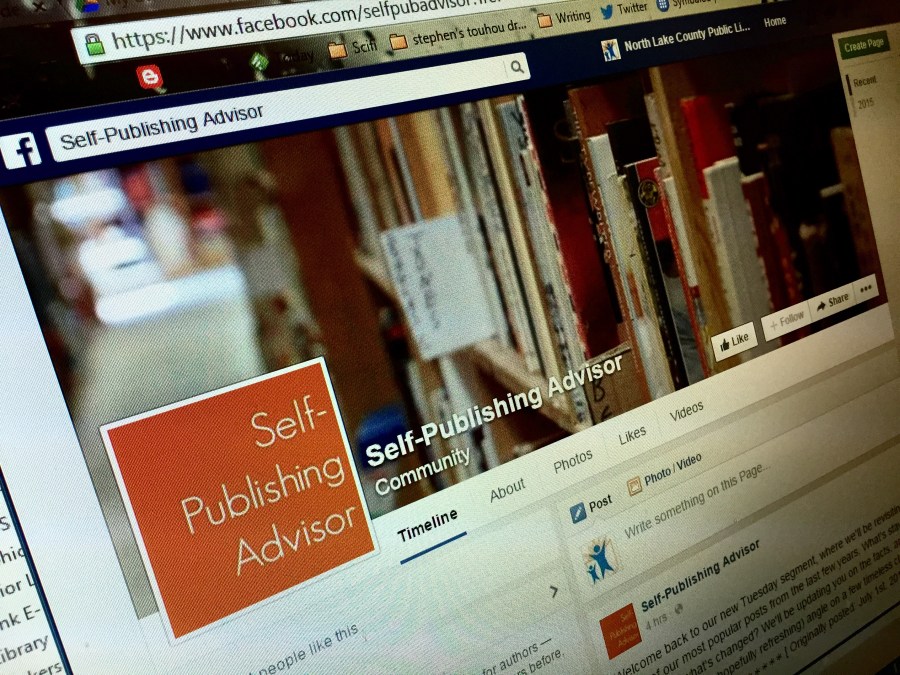
How to Market Your Book on Facebook

Facebook

Immediately after you’ve published your book, it’s time to get into marketing. Here’s what you need to understand in order to jumpstart your book marketing campaign on Facebook.

  1. You need a fan page – NOT a personal page.

Personal pages and fan pages function very differently. A fan page offers a one-way relationship between you and the fan; fans see your updates, but you don’t see theirs. A person only needs to click “like” to immediately become your fan. With a personal page, a potential fan has to send you a friend request, which is an intimidating barrier for people who don’t actually know you. Even more importantly, personal pages have a friend limit and only fan pages give you data on how fans are interacting with your posts.

  1. Any given Facebook post will only reach a small percent of your fans.

Fans are people who clicked “like” on your page, but they will not automatically see your updates.

Facebook has become so popular that it had to develop an algorithm to prioritize the flood of posts available for a person’s news feed each day. Say, for example, that one of your fans is a fan of 100 other pages and has 400 personal friends. All of those pages and friends represent hundreds of possible messages going to that person’s news feed. Only a few of those messages will be shown. Your new fan may actually never hear from you again, depending on whether or not you understand number 3…

  1. Likes, comments and shares mean almost everything on Facebook.

Facebook chooses what to show and in what order based on which friends and/or pages a person engaged with in the past. “Engaged with” means the person clicked, liked, shared or commented on a post.

If a fan doesn’t take one of those actions on your posts regularly, the algorithm will decide they aren’t really a fan, and that person will rarely, if ever, see your content again. You could have 10,000 fans but literally be talking to a near-empty room if Facebook is methodically removing your posts from their feeds due to lack of engagement. That means you should write every post in a way that facilitates likes, comments, or shares.

  1. Small tactics can make a big difference in driving “click engagement.”

Here are some tips for encouraging clicks:

  • Experiment with post timing. The average post is only shown in feeds for about 3 hours. If most of your fans are on Facebook in the evening but you always post in the morning, they’ll never see you.
  • Be concise. Studies have shown that posts between 100 and 250 characters (less than 3 lines of text) receive about 60% more likes, comments, and shares than posts greater than 250 characters.
  • Use different types of posts. Some fans click mostly on links, others engage mostly with questions, and some click mostly on photos. To maximize the number of fans who engage with you, use a variety of post types.
  1. Your cover photo is premium real estate to market your book.

You have 851 x 315 pixels worth of space to market your book. Use this space to show off an image of your book. You can also promote a tour or giveaway here.

  1. Connect Facebook with promotional apps.

Use Facebook to successfully host a book giveaway with apps like WooboxRafflecopter, or Shortstack on your Facebook page. Be sure to advertise it on your cover photo space. Or use a video app to create a book video to post on your Facebook Page (or purchase a book video trailer).  Show your readers the author behind the writing. People connect with those they can relate to and adding a video of your book will increase interest. Plus, Facebook’s autoplay video feature will entice users to pay attention.

  1. Link Facebook with a way to purchase your book.

Be sure to link to your online shop (whether that’s on your publisher’s site, Amazon, Barnes and Noble, or your own website). Dedicate a button on the dash below your cover photo for “Shop.”  This will be more successful if you regularly post positive book reviews on Facebook. Reviews are among the best ways to get more eyes on your book. Not only can you get in front of the reviewer, but the reviewer may also recommend your book to others. Don’t expect people to automatically review your book. Actively ask for reviews on your Facebook page.

  1. Use the “Promote” feature.

Under each of your Facebook posts, there is a button that says “Promote.” For a relatively small amount of money, you can get more of your fans to see specific posts. The cost depends on your particular fan base, but typically runs around $5 per thousand people you want to reach. You can also promote your post so friends of your fans will see it. Paid promotion is a great tool for getting important posts in front of as many people as possible. It’s also a great way to get back into the feeds of people you’ve lost due to lack of engagement in the past; if a person engages with a paid post, they’ll be more likely to see your future unpaid posts. Paid posts give you a chance to win fans back!

  1. Be consistent and generous.

The key to engagement is consistent posts that your fans consider valuable. Try to post daily. From time to time, post an image of your book and an offer they can’t refuse, such as free chapter of your new book. The most important thing is to grab people and bring them onto your page. Make sure you use the word “free” in your posts. You want to offer them something to reward for them visiting your page.


brent sampson
In 2002, Ernst & Young Entrepreneur of the Year Semi-Finalist Brent Sampson founded Outskirts Press, a custom book publishing solution that provides a cost-effective, fast, and powerful way to help authors publish, distribute, and market their books worldwide while leaving 100% of the rights and 100% of the profits with the author. Outskirts Press was incorporated in Colorado in October, 2003.
In his capacity as the Chief Executive Officer and Chief Marketing Officer, Brent is an expert in the field of book publishing and book marketing. He is also the author of several books on both subjects, including the bestseller Sell Your Book on Amazon, which debuted at #29 on Amazon’s bestseller list.

5 Steps to Creating a Culinary Cookbook

What separates good cookbooks from bad ones? Just like everyone’s individual palate, the answer to that is largely a matter of personal taste, but these five hints just may help keep your cookbook from leaving a bad taste in someone’s mouth.

cookbook

  1. Include full-color photographs
    The number one most important thing you can do for your cookbook is include high-quality, full-color photographs of the food. Rare is the self-publishing author who can afford to spring for a professional photoshoot, but with today’s cameras, some 3-point bounce lighting, and a photo editing program like Photoshop, there’s no reason to limit your 5-star tartare to a 3-star photograph.  There are simply too many cookbooks on the market to publish one without images, or in black & white.  The old adage says you can’t judge a book by its cover and while that is proven false time and time again, nobody ever said such a thing about a cookbook – where you definitely CAN judge it by its cover. And its cover better look delicious! And so should the inside!
  2. Include original, unique, and exclusive recipes
    No matter how appetizing the pictures look, there has to be a reason for someone to buy your cookbook.  Sure, the design might be amazing, and the images breathtaking, but content trumps design every time, and that is especially true for cookbooks.  Your target market already knows how to make spaghetti, pot roast, and shrimp cocktail; you have to include recipes they’ve never seen before, or at least feature startling new takes on old standards that will justify their purchase, as well as satisfy their cravings.
  3. Allow content and design to dance
    Speaking of design and content, formatting a cookbook is much like dancing the tango, with the content and the design making magical music together as they flow in unison. Cookbooks require larger print than other books because people don’t “read” cookbooks, they “use” them (typically with wet fingers or flour-caked palms).  So, if you have too many recipes to hit your target page count at 14- or 16-point font, don’t decrease the font size to 12 just to make it fit.  Remove a recipe. Or, better yet, find a way to reword those three-page recipes into two-page spreads.
  4. Include finishing flourishes
    A good meal is like a good story (or a good cookbook); it has a beginning, a middle, and an end.  Anybody can print a recipe for baked Alaska from the Internet but only your cookbook contains the amusing anecdote about how making it for the first time led to a food fight with your grandson, which turned into a fond memory told over Thanksgiving Dinner for years to come.  Don’t be afraid to sprinkle some saffron into your prose to excite the senses and make the recipes in your cookbook truly your own.
  5. Obsess over the details
    The details of your recipes can make or break your cookbook. This includes the ingredients, as well as the instructions, down to the units of measurements and the cooking equipment.  If your audience is comprised mostly of US residents, don’t refer to grams or liters when your cook wants to see teaspoons, tablespoons, or cups, instead.  If your recipe calls for a very specific ingredient that is not available at the local grocery store, advise your cooks where to get their hands on it – a farmer’s market, online, a quick trip to China, etc.  By the same token, be informative and detailed about the pots, pans, molds, presses, graters, utensils, etc. you’ve used to create your inspiring dishes.  The purists will appreciate the opportunity to match your expertise and it gives the lay-cook something other than their prowess to “blame” when their soufflé flops.

To make a soufflé you’ve got to break a few eggs, but nobody warned you publishing a cookbook would be such a headache. It doesn’t have to be! Check out this One-Click Cookbook package over at Outskirts Press.


brent sampson
In 2002, Ernst & Young Entrepreneur of the Year Semi-Finalist Brent Sampson founded Outskirts Press, a custom book publishing solution that provides a cost-effective, fast, and powerful way to help authors publish, distribute, and market their books worldwide while leaving 100% of the rights and 100% of the profits with the author. Outskirts Press was incorporated in Colorado in October, 2003.
In his capacity as the Chief Executive Officer and Chief Marketing Officer, Brent is an expert in the field of book publishing and book marketing. He is also the author of several books on both subjects, including the bestseller Sell Your Book on Amazon, which debuted at #29 on Amazon’s bestseller list.

Becoming an Amazon Bestseller

Not long after on-demand self-publishing hit the mainstream, and Amazon started putting every other company out of business (like Borders, CompUSA, etc.), a “marketing strategy” began circulating about a sales technique whereby a book could (at least momentarily) skyrocket to #1 on the Amazon bestsellers list.  Before this technique started becoming saturated, authors closely following this strategy often saw their books reach an overall Amazon bestsellers ranking of #1.  Then, as more and more authors followed the same steps, it became acceptable to call oneself a “#1 Amazon Bestseller” simply if the book reached #1 in a very specific genre-category on Amazon (which is still nothing to sneeze at).

Most of you have probably seen about or read about this strategy before, but just in case you haven’t, here’s a quick run-down of how it works and why it works.

HOW IT WORKS 

  1. Pick a specific day in which you will strive for “bestseller status” on Amazon. Make it far enough in advance to accomplish the rest of these steps.
  2. Create Joint Ventures with other authors and/or online marketers. A “Joint venture” is a mutually beneficial arrangement whereby you partner with another writer/entrepreneur to trade something of value (an eBook, for example) with one another in exchange for something else of value (each other’s mailing lists, or word-of-mouth publicity).  Many authors and entrepreneurs are open to being Joint Ventures on Amazon Bestsellers programs because they know you will actively promote it (which is necessary for success). Through that promotion, their eBook, or “product” will receive additional exposure they would otherwise not be able to achieve.  The best and easiest way to find possible Joint Venture partners is by looking at other Amazon Bestsellers campaigns (perhaps you’ve received an email), and following up with the same people.
  3. Contact each of your Joint Venture partners and introduce yourself and your book and ask if they’d like to help you with your marketing campaign.  Ask if they would be willing to give away something of value to your customers in exchange for some publicity, and/or a free copy of your book.  Some will say yes. Others may say no.  It rarely takes much of their time, since you are handling almost all the details, so this is a nice time when you receive more “yes’s” than “no’s”. All they have to do is donate the “free bonus” and offer to email their mailing list on the specific date you decided upon in Step #1.
  4. Once you’ve collect 10 or so Joint Ventures, you need to make a “Sales Page” on the internet.  There are a variety of ways to accomplish this, depending upon your proficiency with HTML.  The purpose of the “Sales Page” is to “sell” your book and, as extra incentive, offer your customers “Free Bonuses”, the combined value of which exceeds the cost of your book.  These free bonuses are compliments of all your Joint Partners; so your sales page also identifies and “sells” each of the Joint Venture products, too.  If your book costs $19.95, but you are giving away $200 worth of “free stuff” anyone with even a passing interest in your book may pony up the twenty bucks just to get all the extras.
  5. At the bottom of the Sales Page is the Buy Button. There are a variety of ways to do this, also, depending upon your HTML proficiency.  You can send them directly to Amazon and ask them to forward you a receipt (the manual process), or you can provide a Promotion Code which entitles them to automatic downloads of all the free bonuses (the automatic process).  Whichever method you choose, make sure your instructions and directions are very clear for them, so they know they’ll get everything you are offering.  If you go the “manual” route, be prepared to deliver upon your promises, even if thousands of orders come in (what a great problem to have!)
  6. Alternatively, you can create the “sales page” within the body of your email that you are sending out. The email still ends with the Amazon Buy Button directing each recipient to your Amazon Sales Page.  You must send your customers to Amazon, rather than selling the book directly yourself. After all, the whole point is to reach an Amazon bestsellers ranking, and that only occurs if your book sales are going through Amazon.
  7. At the date and time determined in Step #1, send your email to your mailing list.  Send out a quick reminder email to your Joint Partners to do the same thing. Provide them with the same email so they don’t have to write anything themselves.  Theoretically, the same email will therefore go to thousands upon thousands of people (when you combine your mailing list with the lists of all 10+ of your Joint Partners) all at roughly the same time, all promoting your book, and all offering hundreds of dollars in “bonuses” to your new readers.
  8. Depending upon the size of the combined lists, even if only a small percentage of people buy your book, it is often enough to “trick” Amazon’s algorithm into skyrocketing your book’s Amazon Bestsellers campaign.

WHY IT WORKS 

Well, that’s why the word “trick” is in quotation marks.  Amazon’s Ranking algorithm tabulates quantity of sales within periods of time. So a book that normally sells 1 book a month that suddenly sells 10 books an hour will “trick” Amazon’s algorithm into thinking it’s selling like hotcakes (because, relatively speaking, it is!).  This is why it’s important for the sales email to be sent on the same day by all the Joint Partners, and ideally all within the same short period of time.  Recipients who act upon the email, and buy your book, will do so within a condensed period of time, which will probably catapult your Amazon Sales Ranking.

Will your ranking last?  No (so be sure to watch Amazon throughout the day and take screen shots). But “#1 Amazon Bestsellers” have never worried too much about divulging the fine print.

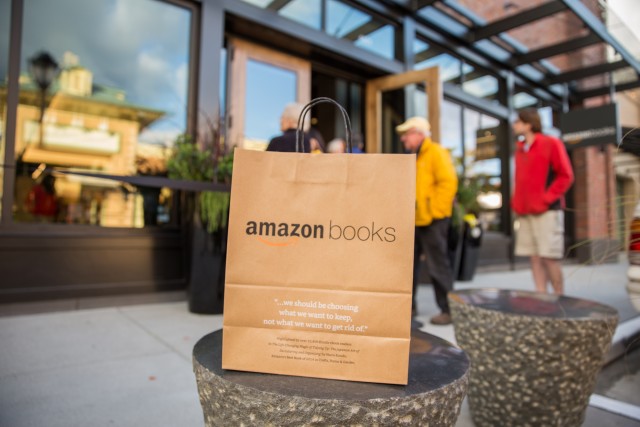
amazon bookstore


brent sampson
In 2002, Ernst & Young Entrepreneur of the Year Semi-Finalist Brent Sampson founded Outskirts Press, a custom book publishing solution that provides a cost-effective, fast, and powerful way to help authors publish, distribute, and market their books worldwide while leaving 100% of the rights and 100% of the profits with the author. Outskirts Press was incorporated in Colorado in October, 2003.
In his capacity as the Chief Executive Officer and Chief Marketing Officer, Brent is an expert in the field of book publishing and book marketing. He is also the author of several books on both subjects, including the bestseller Sell Your Book on Amazon, which debuted at #29 on Amazon’s bestseller list.

#NaNoWriMo2017 is Coming to an End!

Tomorrow marks the close of the 2017 National Novel Writing Month (NaNoWriMo), and its participants’ pledge to write 50,000 words in 20 days. “Winners” (those who met or exceeded that goals) have already started to be recognized on the NaNoWriMo website.  If you’re one of those ambitious few (statistically speaking), congratulations; that’s impressive!  Many writers enter.  Much fewer cross the finish line.  But everyone who participates is a winner in our book, because NaNoWriMo is a stepping stone toward establishing a writing habit. As they say, a writer writes.  And in order to crank out 50,000 words in 30 days, you must force yourself to write every day.

That being said, 50,000 is no reason to stop writing. Books are rarely as short as 50,000 words, so crossing the finish line for NaNoWriMo is not the final step. The final step is completing a manuscript and then revising it, editing it, proofreading it, and then publishing it.  One doesn’t publish 50,000 words. One publishes a book.

In order for NaNoWriMo to accept your word count you need to cut and paste your manuscript into their word-count validator.  Sounds easy enough, but it’s surprising so many writers are so willing to give their hard work to an organization without a second thought.  Many writers exhibit hesitancy about sharing their work with publishers and that’s even AFTER a contract has been signed expressly protecting them and their copyrights.  No such agreement exists on the National Novel Writing website.

It’s clear that this issue has come up from time to time because on their forums, they provide a link to another website that “scrambles” your manuscript for the specific purpose of only providing your word count to NaNoWriMo, rather than a book that makes any sense.  But to do that, aren’t you submitting your manuscript to the 3rd party (who may hold even less legitimacy than NaNoWriMo)?

You’ll be happy to know that US Copyright protects you in these instances, as long as you can establish the date your manuscript was completed. Send it in its entirety to a friend via email, and keep the send-receipt.  Or use the “poor man’s copyright” and mail a hardcopy to yourself through the mail, and then keep the postmarked package unopened.  These are quick, easy, inexpensive measures you can take IF you are worried about NaNoWriMo or the 3rd party scrambler taking liberties with your work.  Or, you can rely upon the reputation of the NaNoWriMo organization and rest assured they have better things to do.  

For those of you who cross the 50,000 word finish line tomorrow at midnight… kudos!

nanowrimo 2017 winner


brent sampson
In 2002, Ernst & Young Entrepreneur of the Year Semi-Finalist Brent Sampson founded Outskirts Press, a custom book publishing solution that provides a cost-effective, fast, and powerful way to help authors publish, distribute, and market their books worldwide while leaving 100% of the rights and 100% of the profits with the author. Outskirts Press was incorporated in Colorado in October, 2003.
In his capacity as the Chief Executive Officer and Chief Marketing Officer, Brent is an expert in the field of book publishing and book marketing. He is also the author of several books on both subjects, including the bestseller Sell Your Book on Amazon, which debuted at #29 on Amazon’s bestseller list.